> For the complete documentation index, see [llms.txt](https://docs.realmjoin.com/llms.txt). Markdown versions of documentation pages are available by appending `.md` to page URLs; this page is available as [Markdown](https://docs.realmjoin.com/ja/apurikshon/packages/packaging-requests/packaging-roles-and-responsibilities.md).
# パッケージングの役割と責任
RealmJoin で管理されているパッケージと未管理のパッケージの種類、および Packaging Factory と顧客間で分担される更新責任。
#### パッケージ保守の種類
**保守対象パッケージ**
* **定期更新**: これらのパッケージは RealmJoin Packaging Factory によって継続的に監視されています。
* **更新プロセス**: 厳格なチェックの後、更新はストアで公開されます。
* **サポートオプション**: 更新が見当たらない場合、顧客はこれに対応するサポートチケットを開くことができます。
**非保守対象パッケージ**
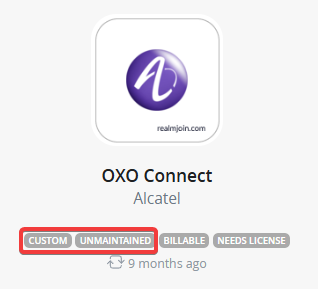
* **分類**: 保守対象としてマークされていないパッケージは、すべてこのカテゴリに分類されます。
* **更新依頼**: 顧客は、保守対象外の汎用パッケージについて通常の更新依頼を提出する必要があります。
* **費用**: 汎用パッケージの更新は無料です。
**責任**
保守対象アプリケーション パッケージは、ベンダーが更新をリリースすると更新されます。RealmJoin Packaging Factory は、非保守対象アプリケーションを監視しません。その他すべてのアプリケーションについては、顧客が自ら監視し、更新を依頼する責任を負います。
| プロセスステップ | RealmJoin | 顧客 |
| ------------------ | ----------------------- | ------------------------- |
| 汎用パッケージの作成 | パッケージ化 | 依頼 |
| カスタムパッケージの作成 | パッケージ化 | 依頼 |
| アプリケーション パッケージのテスト | インストール、再インストール、アンインストール | 機能テスト、結果を glueckkanja と共有 |
| 更新の監視 | 保守対象パッケージ | 非保守対象パッケージ |
---
# Agent Instructions
This documentation is published with GitBook. GitBook is the documentation platform designed so that both humans and AI agents can read, navigate, and reason over technical content effectively. Learn more at gitbook.com.
## Querying This Documentation
If you need additional information that is not directly available in this page, you can query the documentation dynamically by asking a question.
Perform an HTTP GET request on the current page URL with the `ask` query parameter, and the optional `goal` query parameter:
```
GET https://docs.realmjoin.com/ja/apurikshon/packages/packaging-requests/packaging-roles-and-responsibilities.md?ask=&goal=
```
`ask` is the immediate question: it should be specific, self-contained, and written in natural language.
`goal` is optional and describes the broader end goal you are ultimately trying to accomplish on behalf of the user. GitBook uses it to tailor the answer towards what is most useful for that goal.
The response will contain a direct answer to the question and relevant excerpts and sources from the documentation.
Use this mechanism when the answer is not explicitly present in the current page, you need clarification or additional context, or you want to retrieve related documentation sections.